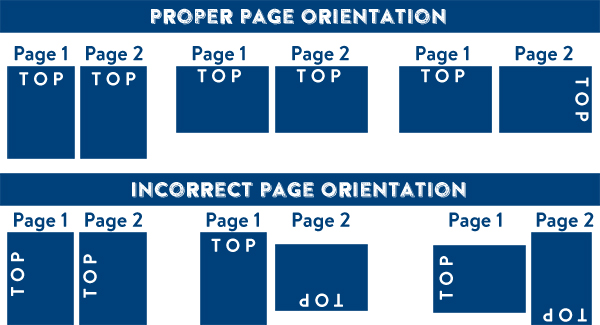
(How to set up proper orientation for your files)

(Learn how to set up your files the right way) (General File Preparation Guidelines)
ACCEPTED FILE TYPE
-PDF (Acrobat 5 (PDF 1.4)
-JPG, JPEG, TIF, TIFF
**One single file per side (no pdf bundle please).
BLEED
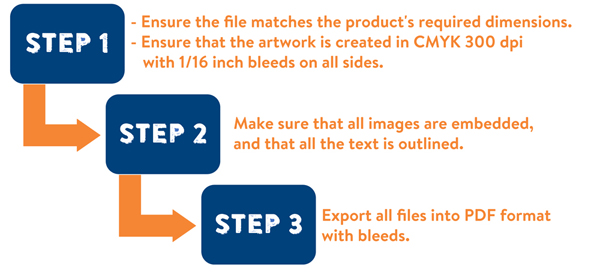
-At least 1/16" bleed around the perimeter of your artwork to ensure accurate cutting.
CMYK COLOR
-All files converted to CMYK color mode. No RGB or Pantone files.
OUTLINE TEXT
-Avoid potential problems with fonts by creating outlines for all text.
FINISHING OPTIONS
-One mask file for each option
-Clearly indicate the option and the side on which you want it to be applied in the file name.
SPOT UV
When creating a job with spot uv, you must include a spot uv mask file along with the regular print file. The spot uv template file is used to show where the UV will be placed. Use 100% K to indicate where you would like the UV. White will indicate no UV.
To set up your file for foil printing with spot uv:
In addition to the second layer added for the foil printing process, your file should have a third layer for the spot uv. Below are the additional guidelines for preparing your files for foil printing with spot uv.
On your third layer, create a mask file for the elements in your design where you would want to spot uv.
Use 100% K or black to elements for spot uv, and 0% K where spot uv is not applied.
Leave a 1/16" gap in between foil and spot uv elements. They cannot overlap.
Minimum font size is 8 pts.
Minimum strokes or borders should be 1.5 pts. thick.
DEBOSSING / EMBOSSING
When creating a job with embossing or debossing, you must include a mask file along with the regular print file. The mask template file is used to show where the embossing will be applied. Use 100% K to indicate where you would like the embossing.
FOIL STAMPING
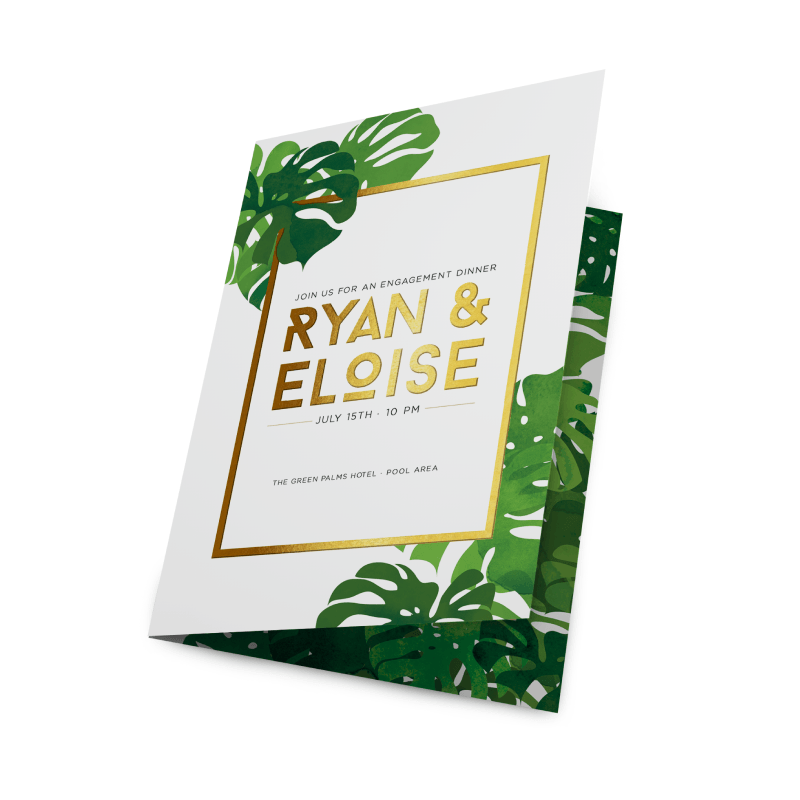
When creating a job with foil stamping, you must include a mask file along with the regular print file. The mask template file is used to show where the foil will be applied. Use 100% K to indicate where you would like the foil. Make sure to remove everything that will be foiled from the print file and have those items only on the mask file.
To set up your file for foil printing, follow these important steps:
Your file should contain two layers.
One layer contains your artwork
Another layer to show where the foil will be applied
If applying foil to text, use a font size of 8 pts. or larger.
Strokes or borders must be more than 1.5 pts. thick.
Limit foil coverage to 50% of the surface area.
| Final Dimensions | Description | Download |
|---|---|---|
| Templates |
Click to select a file
Acceptable File Formats:
Max. file upload size is 250MB (megabytes) per file — ZIP archives accepted
We use cookies to enhance your experience on our site. By continuing to browse, you accept our use of cookies.
These cookies are necessary for the website to function.
Help us understand how visitors use the site.
Used for interest-based advertising.
Allow us to personalize your experience.
Cookies and similar technologies collect certain information about how you use our website. These cookies enable our website to offer additional functions and personal settings to create a better user experience. They can be set by us or by third-party partners.
Residents of certain states have the right to opt out of "sales," "sharing," or processing of personal information for targeted advertising. You can opt out by moving the toggle switch for Advertising cookies below to the left.
You can also opt out of analytics cookies using the toggle below.
Your opt-out choices will apply to the browser and device you are using when you opt out. You will need to opt out separately on other browsers and devices that you use.
Certain cookies are needed and will remain to provide basic functionalities as you browse the Printing Coop website, even if you opt out of other cookies. These cookies are essential for making the Printing Coop site work and making it safe.